A little care for your connections
Often
Keep in touch,
on purpose.
The friend you meant to call. The mentor you want to thank. The client you haven't checked in with. Give each person a rhythm, and let Often remind you when it is time.
Free for 15 people and 3 groups · iPhone with iOS 26 or later
People, at your pace
A reminder that ends
in a real conversation.
Add someone who matters, choose how often to reach out, and get a daily reminder when a connection is slipping. Open a call, WhatsApp, or email, then log that you caught up.
Keep a note for next time. Snooze a reminder when life gets busy. Often gives your relationships a place in your day.
- A rhythm for each personSet a cadence that fits the relationship, with birthday reminders and flexible snoozing.
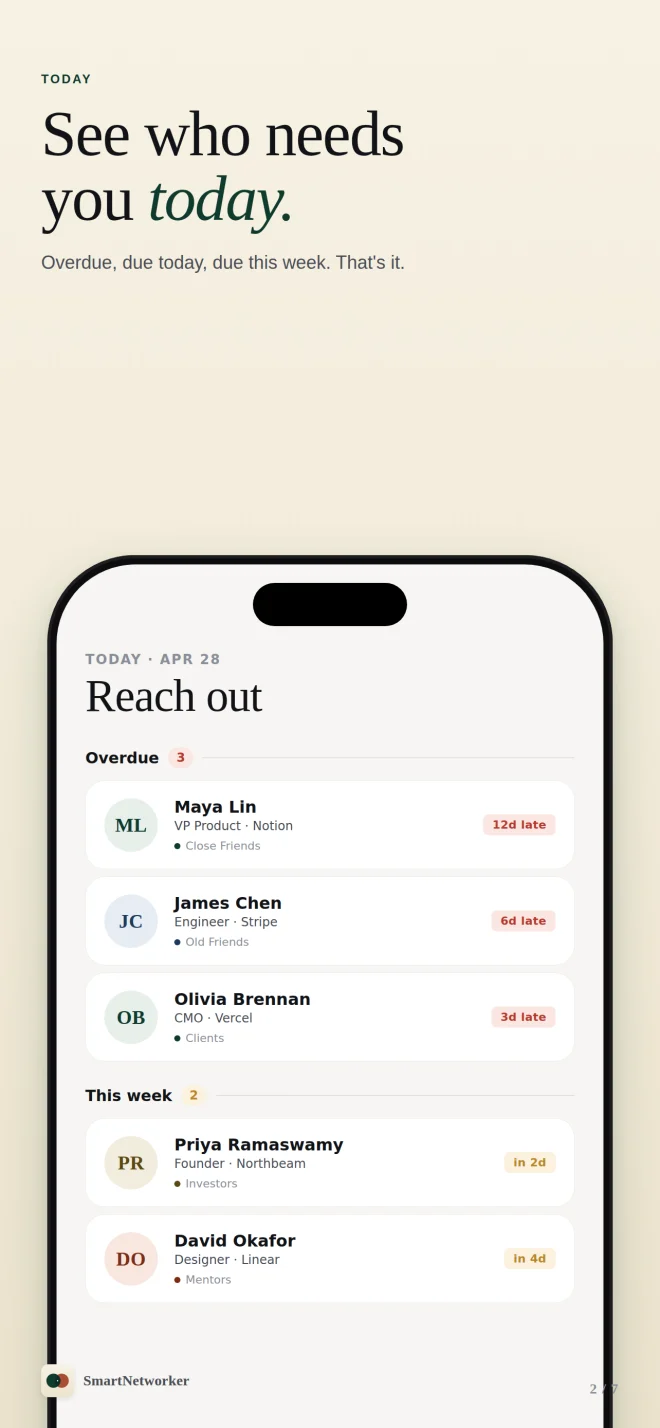
- A clear Today queueSee who is overdue, due today, or coming up this week.
- Context for the next conversationKeep notes, log interactions, and pick up where you left off.
- Useful beyond your phone's home screenFree count widgets and Siri logging; richer widgets with Often Plus.
From a quiet nudge to “good to hear from you.”
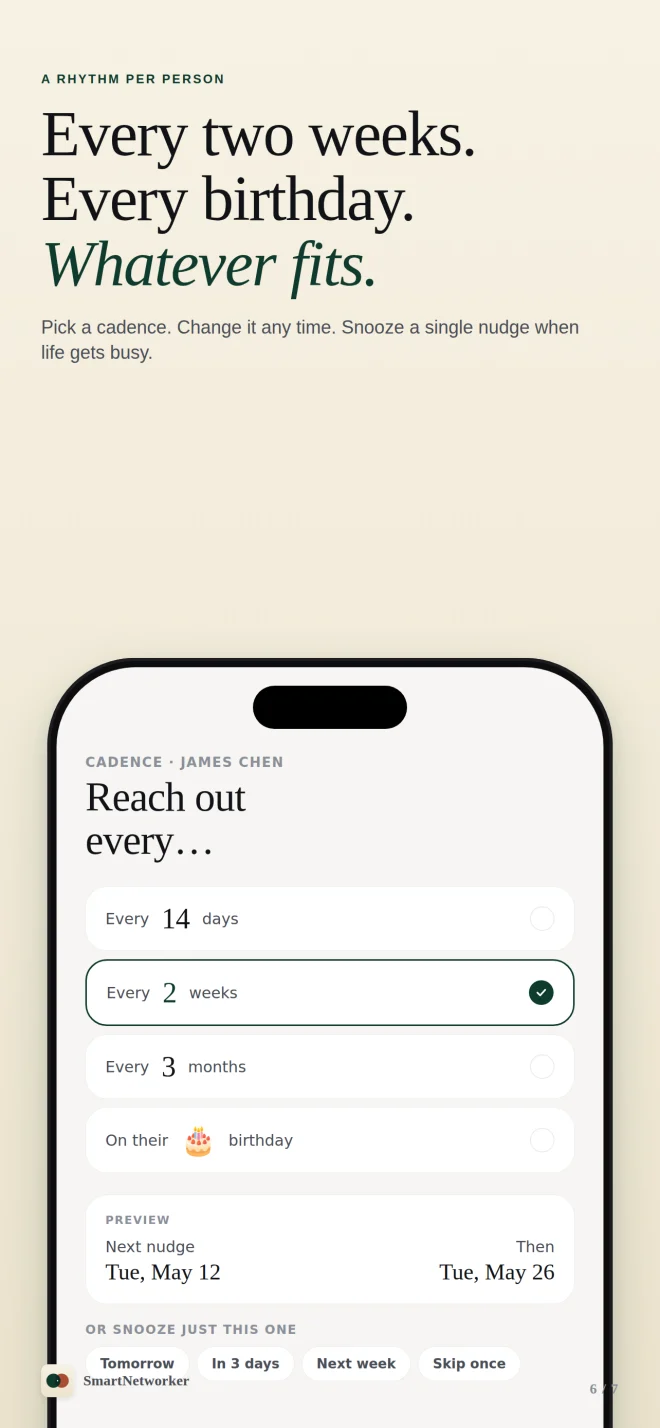
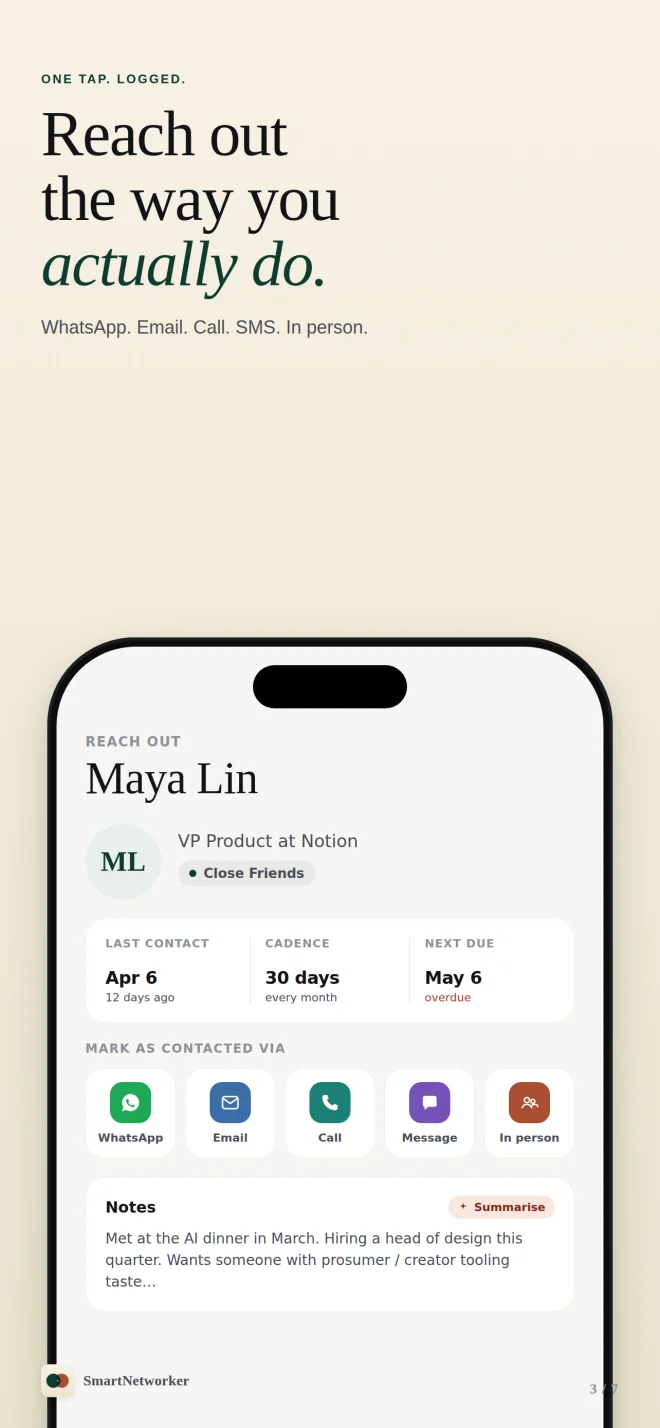
Previews from the App Store. Often was previously called SmartNetworker.
Start free. Add more with Plus.
Often Free
For a small circle you want to keep close.
- Up to 15 people and 3 groups
- Cadences, notes, interaction logging, and daily reminders
- Count-only Home and Lock Screen widgets
- Log Contact Siri Shortcut
- Full export to CSV or JSON

Often Plus
More people, more context, and private iCloud sync.
- Unlimited people and groups
- On-device AI note summaries
- Turn screenshot text into contact context
- Private iCloud sync when iCloud is available
- Widgets with names and details
Choose a subscription or a lifetime purchase. Prices and available trials appear in the app. AI summaries require a supported iPhone with Apple Intelligence enabled and available.
Your relationships
stay personal.
Your people and notes are stored on your device. With Often Plus and an available iCloud account, they sync through your private iCloud database. They are not sent to XpMind.
AI summaries and screenshot text recognition run on the device. Diagnostics go to PostHog's EU service to help fix problems; RevenueCat helps verify purchases. Neither receives your contact or note content through those integrations.
Read the full privacy policy →Leave with your data.
Export all your data to CSV or JSON whenever you like, including on the free plan. No XpMind account is required.
How to export →A few practical details
Is Often the same app as SmartNetworker?
Yes. SmartNetworker is now Often. The app has a new name, with the same App Store listing and your existing purchases.
Do I need Often Plus for reminders?
No. The free plan includes your contact cadences, notes, logging, and daily reminders for up to 15 people in 3 groups.
Will AI summaries work on every supported iPhone?
No. Often runs on iOS 26 or later, but AI summaries also need a device and language supported by Apple Intelligence, with the feature enabled and its on-device model available.
Does sync require Plus?
Yes. Free users keep their data on the device. Plus uses private iCloud sync when available. If iCloud is unavailable, your data stays local and Settings offers a way to retry setup.
Can I restore an existing purchase?
Yes. Open Settings and choose Restore Purchases under Often Plus. Use the Apple Account that made the purchase. Purchase help →
Need a hand with Often?
Visit Often support →